Fast Shapes
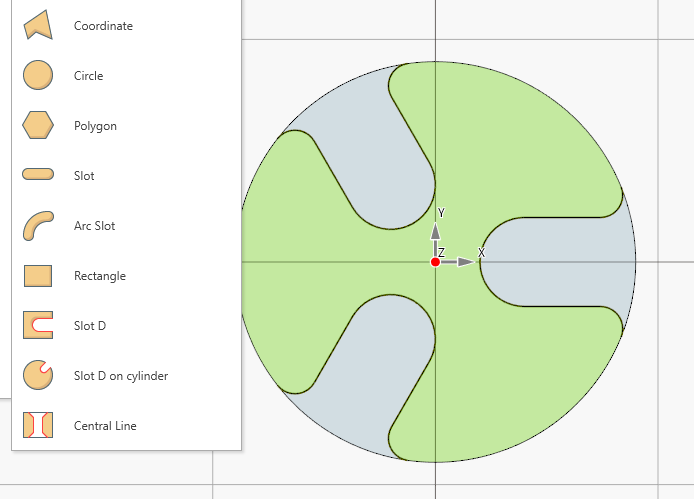
Maggiori info...Is possible define the most common and recurrent geometry profile by just insert some parameters.
Made for small shops and hobby machinists who want machine-ready G-code fast—without the complexity and cost of full CAD/CAM.
Esplora alcune delle principali funzionalità del software. Per maggiori dettagli, visita la documentazione online .
Is possible define the most common and recurrent geometry profile by just insert some parameters.
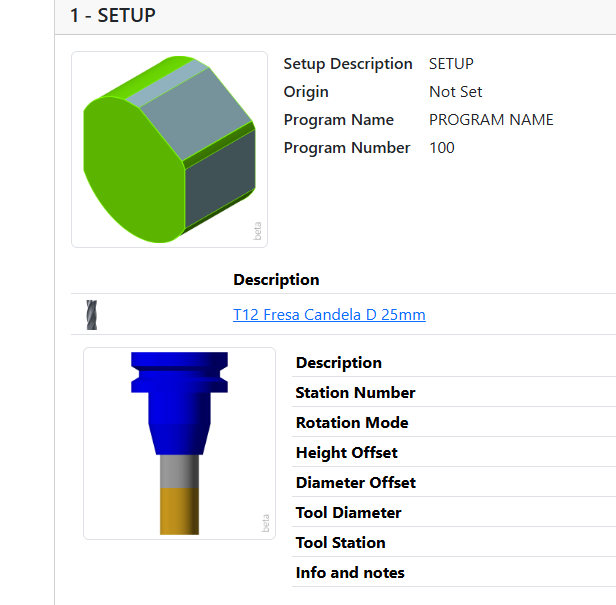
Create documentation for the shop floor with a click. Containing all the information useful to machine operator to setup the machine and related tools. it's possible print the document.
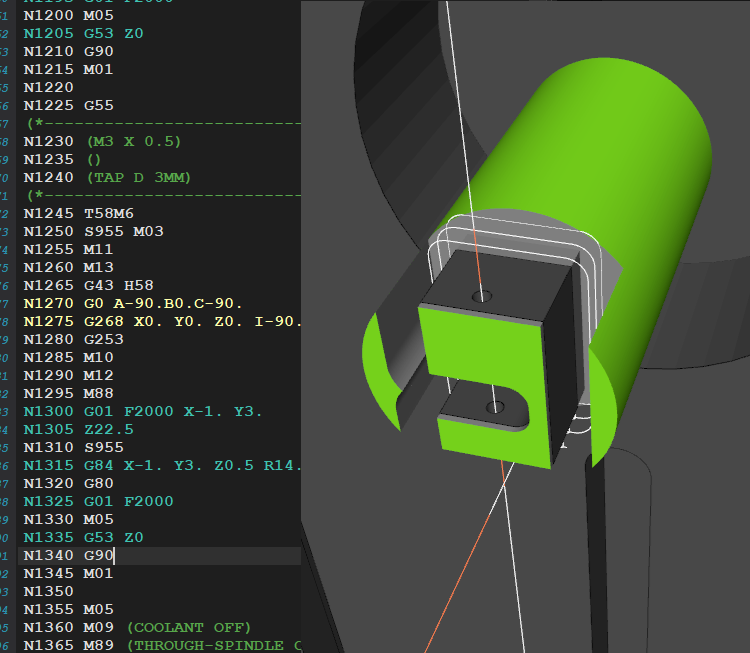
Export G-code together with fixtures, part/stock models, and tool data to CIMCO Edit, recreating the full machining environment for simulation. This adds an extra layer of verification and improves overall process safety.
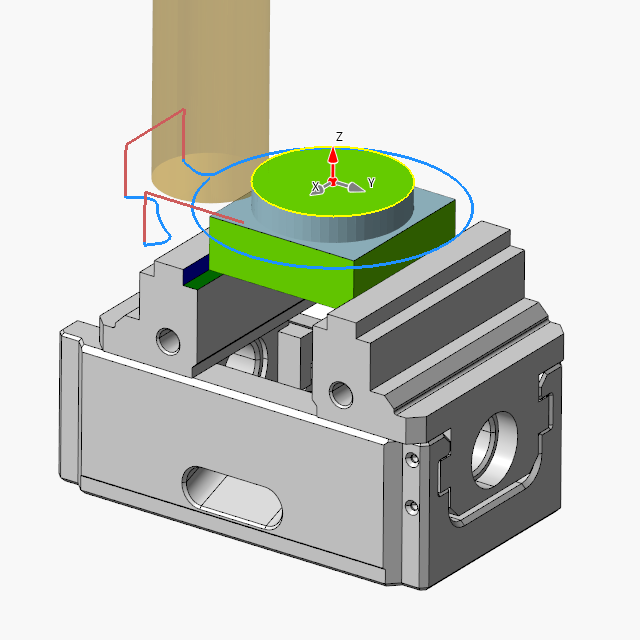
In eCam it is possible to manage various types of fixtures, which help improve project clarity, toolpath planning, and simulation accuracy.
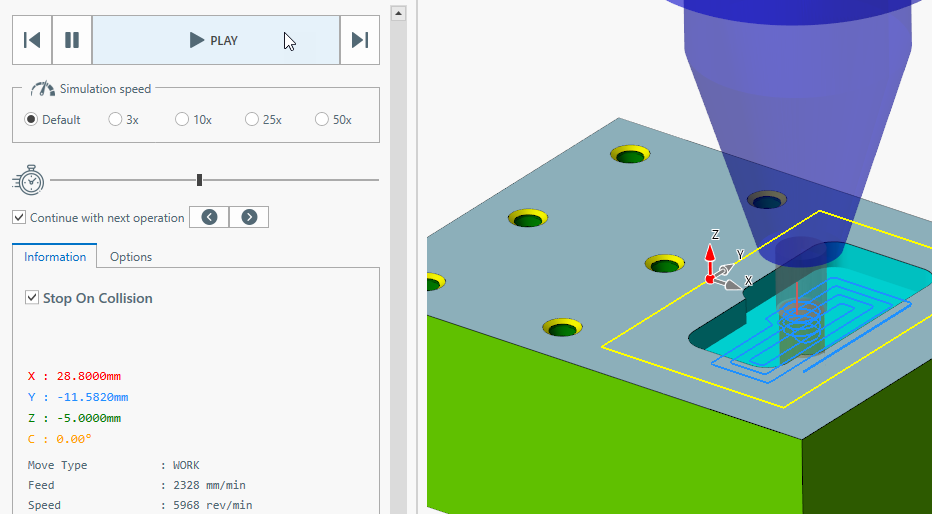
Control the animation speed. It shows the current position and the current values of feed and speed.
Import existing 2D geometries and 3D models from several format files.
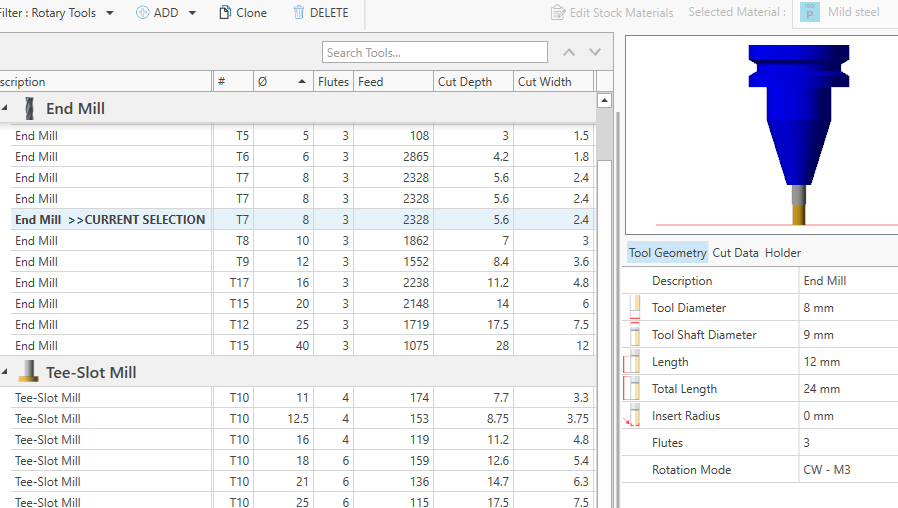
A tool can habe multiple set of cutting data, one set for each stock raw material.
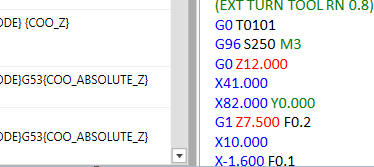
Create post processors compatible with the most common CNC controllers directly in the application. Customize the output in a simple, guided way — no programming skills required.
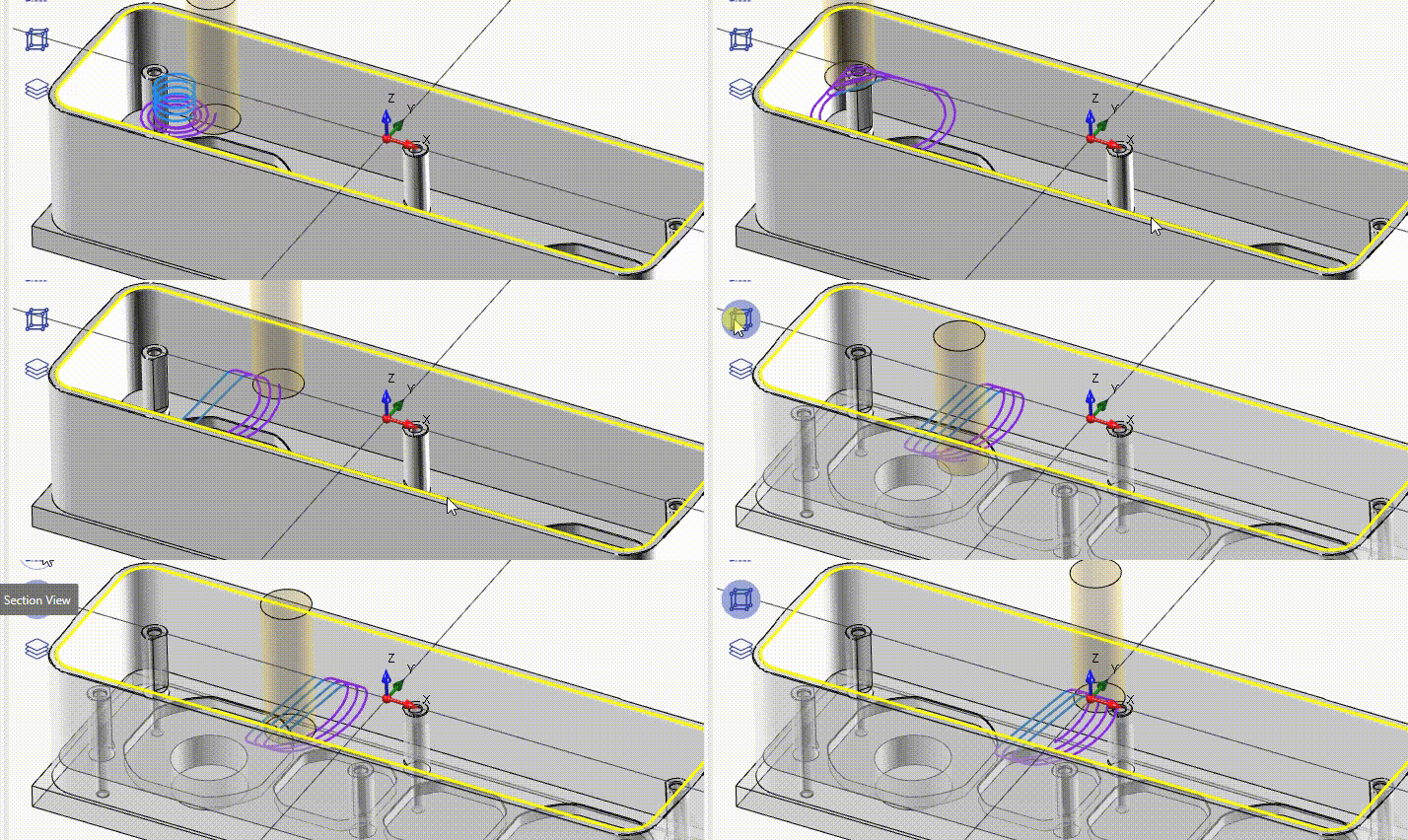
A "must have" feature if you need to work mild steel or inox material.
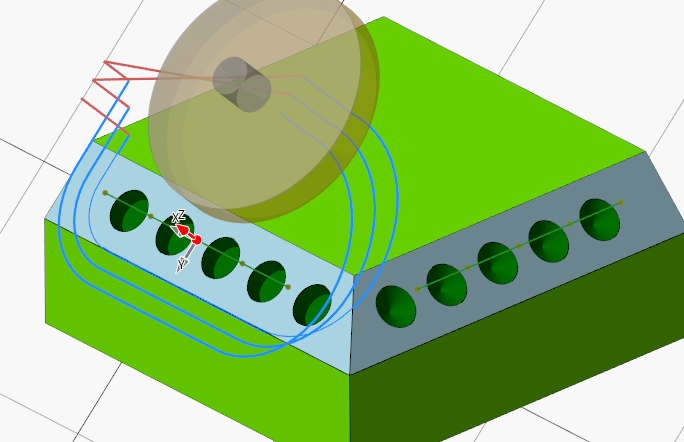
With the tool orientation feature is possible works with 3+1 or 3+2 machines or any machine that permit to move the tool orientation.
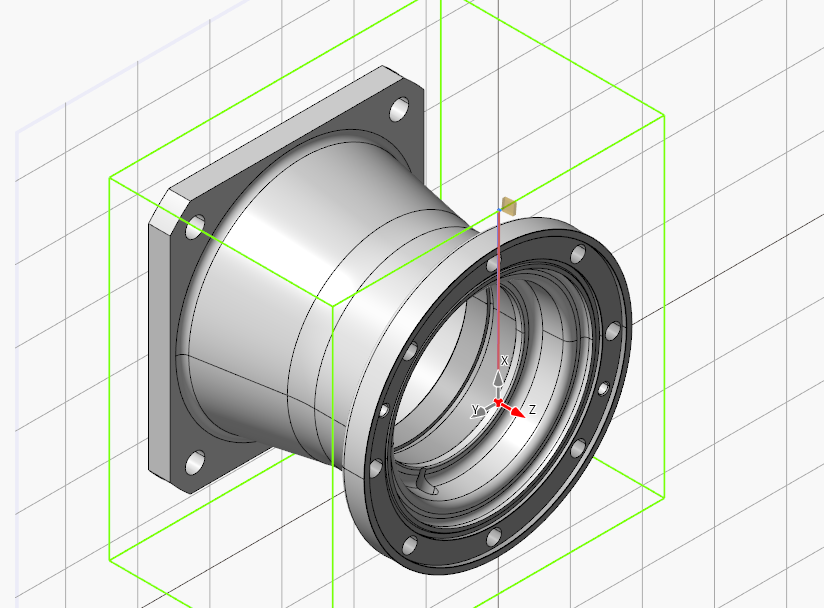
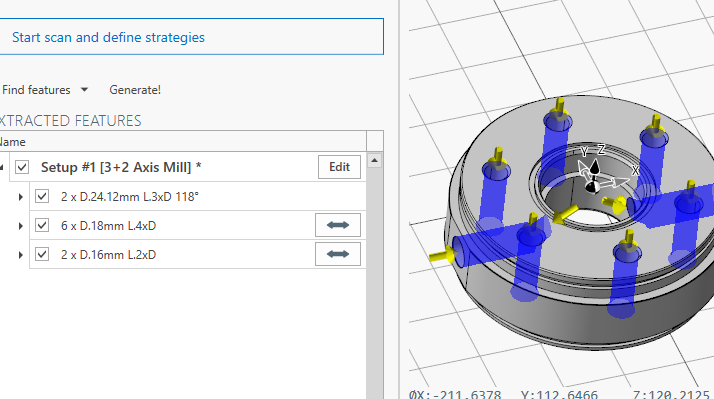
Automatically create drilling operations by recognizing holes in the 3D model.
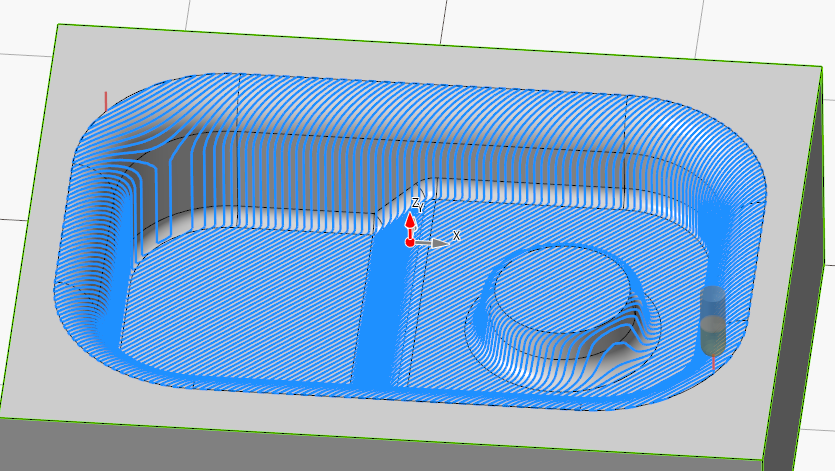
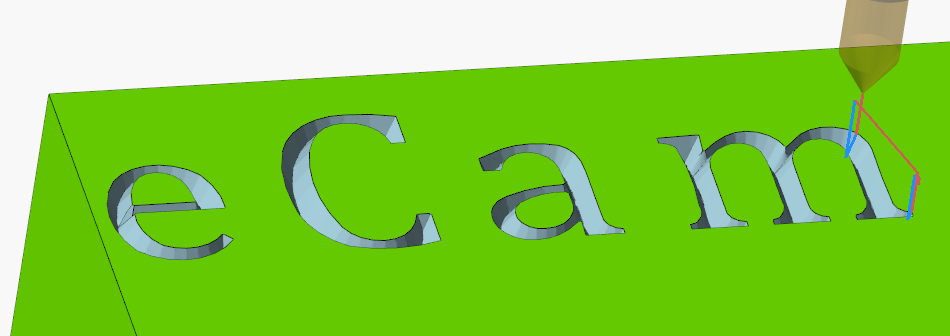
Create engraving toolpaths quickly for text and decorative details, with full control over depth and machining settings.
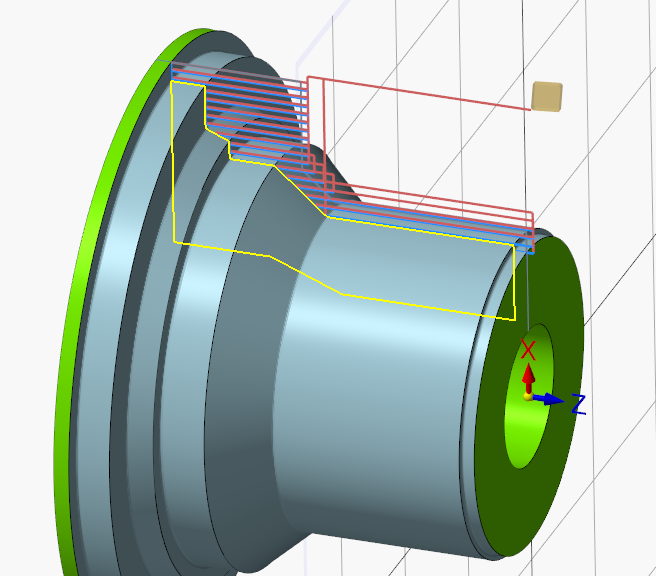
Define a custom revolved stock profile for turning; toolpaths outside the stock are automatically trimmed. You can also select the profile area to machine directly from the operation—ideal for pre-machined blanks.
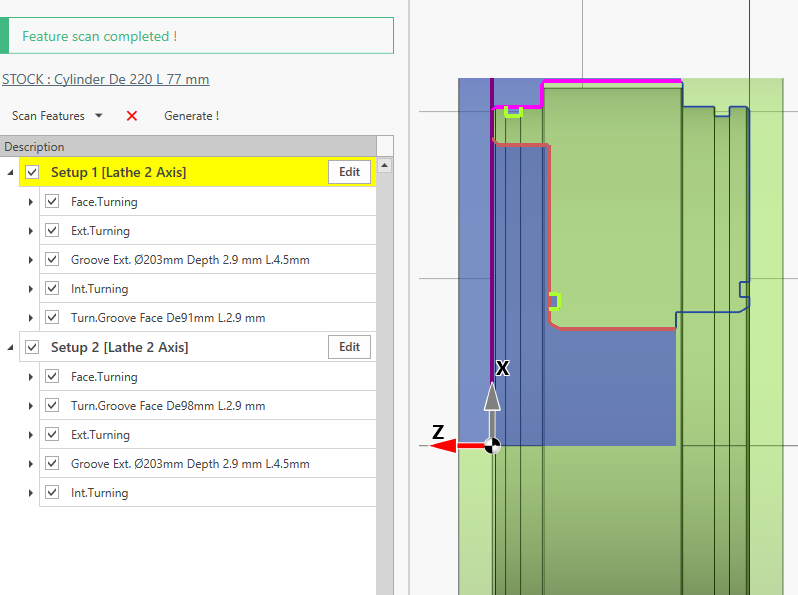
Automatically recognize turning features from a 3D model and convert them into turning operations. Ideal for fast quoting and quick project setup.
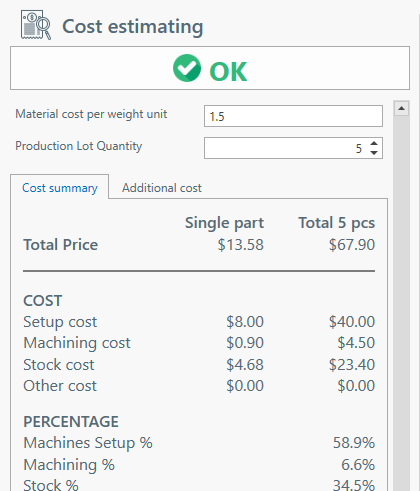
Estimate part production cost based on material and batch size. Add extra costs manually or via custom scripts for maximum flexibility.
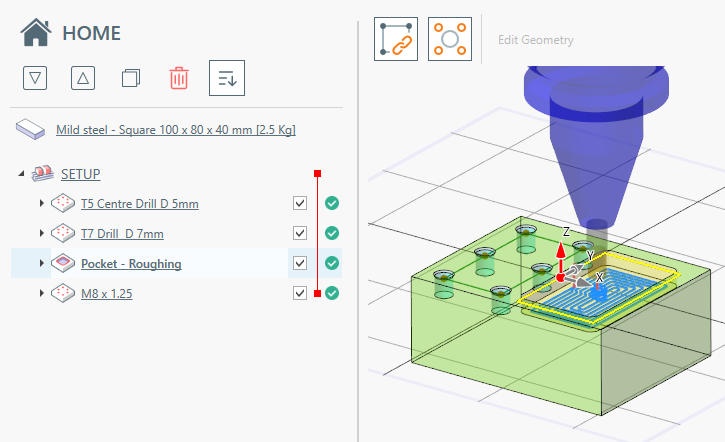
See a basic workflow example—from setup to G-code.
Compare HOBBY and PRO Edition features
| Funzionalità | Edizione HOBBY | Edizione PRO |
|---|---|---|
| Prezzo (pagamento una tantum) | €250 | €700 |
| Funzionalità comuni | ||
Fast Shapes
Fast ShapesIs possible define the most common and recurrent geometry profile by just insert some parameters.
|
✓ | ✓ |
Timeline
TimelineSee at glance , what operations are taking most of the machining time. 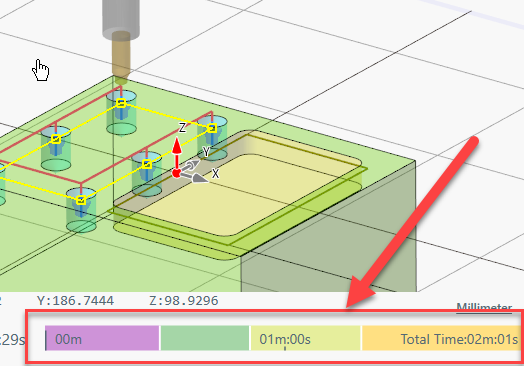
|
✓ | ✓ |
Toolpath Simulation
Toolpath SimulationControl the animation speed. It shows the current position and the current values of feed and speed.
|
✓ | ✓ |
2D and 3D model import
2D and 3D model importImport existing 2D geometries and 3D models from several format files.
|
✓ | ✓ |
Tool store
Tool storeA tool can habe multiple set of cutting data, one set for each stock raw material.
|
✓ | ✓ |
Thread Table
Thread TableECam comes with an internal thread database , covering most of common thread family. 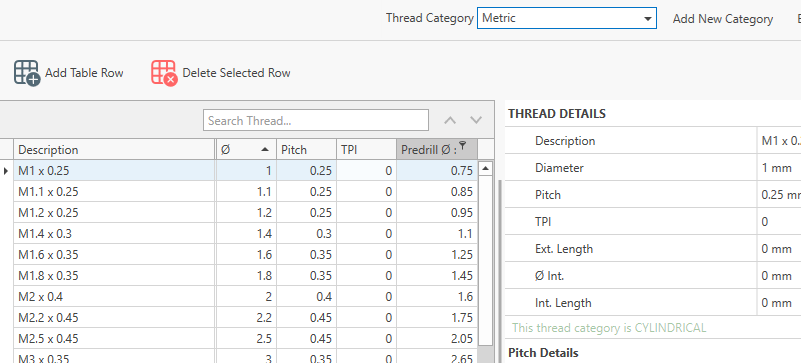
|
✓ | ✓ |
Post Processor Customization
Post Processor CustomizationCreate post processors compatible with the most common CNC controllers directly in the application. Customize the output in a simple, guided way — no programming skills required.
|
✓ | ✓ |
Setup Sheet
Setup SheetCreate documentation for the shop floor with a click. Containing all the information useful to machine operator to setup the machine and related tools. it's possible print the document.
|
— | ✓ |
CIMCO Edit Integration
NUOVO
CIMCO Edit IntegrationExport G-code together with fixtures, part/stock models, and tool data to CIMCO Edit, recreating the full machining environment for simulation. This adds an extra layer of verification and improves overall process safety.
|
— | ✓ |
Fixture Manager
NUOVO
Fixture ManagerIn eCam it is possible to manage various types of fixtures, which help improve project clarity, toolpath planning, and simulation accuracy.
|
— | ✓ |
Cost estimating report
Cost estimating reportEstimate part production cost based on material and batch size. Add extra costs manually or via custom scripts for maximum flexibility.
|
— | ✓ |
| Modulo fresatura | ||
Engrave
EngraveCreate engraving toolpaths quickly for text and decorative details, with full control over depth and machining settings.
|
✓ | ✓ |
Adaptive Strategy
Adaptive StrategyA "must have" feature if you need to work mild steel or inox material.
|
— | ✓ |
Indexed Axis support
Indexed Axis supportWith the tool orientation feature is possible works with 3+1 or 3+2 machines or any machine that permit to move the tool orientation.
|
— | ✓ |
Drilling Recognition
NUOVO
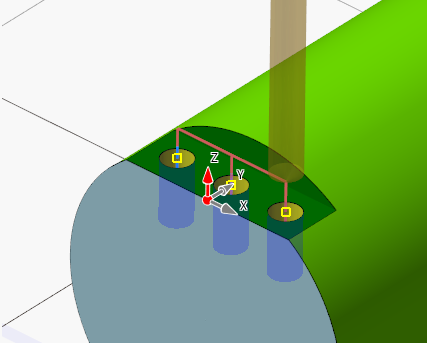
Drilling RecognitionAutomatically create drilling operations by recognizing holes in the 3D model.
|
— | ✓ |
| Modulo tornitura | ||
Live C tools on lathe
Live C tools on lathe |
— | ✓ |
|
Lathe with Y axis support
|
— | ✓ |
Custom Stock Profile
Custom Stock ProfileDefine a custom revolved stock profile for turning; toolpaths outside the stock are automatically trimmed. You can also select the profile area to machine directly from the operation—ideal for pre-machined blanks.
|
— | ✓ |
Turning Feature Recognition
Turning Feature RecognitionAutomatically recognize turning features from a 3D model and convert them into turning operations. Ideal for fast quoting and quick project setup.
|
— | ✓ |
Try the full software with no feature limits during your trial period.
This is a relatively new software . Thanks to users feedback it's becoming more stable. But new bugs can be created at every release.
Every machine can interpreter the same g-code in different way.
You need to understand clearly the meaning of the generate g-code and your responsibility check the compatibilty with your machine.
Make some dry-run test before start cutting real material, check the generate g-code step by step.
Everything you need to know about eCam CNC software
Created by a machinist, for machinists
Developed by Alessandro Cogo with 20+ years of hands-on CNC programming experience. Built by someone who's been in your shoes, working daily with lathes, mills, and quotation systems in real manufacturing environments.
Over 1000 licenses sold worldwide since 2015. Continuously improved based on real user feedback from professional workshops.
No hidden fees, no subscriptions. Lifetime licenses with clear pricing. Free demo available to try before you buy.
Extensive documentation at docs.e-cam.it with tutorials, guides, and examples. Regular updated.
Machinist-Built CNC Programming Software
eCam was developed by Alessandro Cogo, a CNC programming expert with over 20 years of hands-on experience working directly with lathes, mills, and quotation systems in manufacturing environments.
Born from the need to simplify G-code generation for machinists, eCam combines deep technical expertise in CNC operations with intuitive software design. Since the first commercial release in 2015, eCam has been helping manufacturers worldwide streamline their CNC programming workflow.
Send files and questions to customer support
Alternatively, send an email to the address shown at the bottom of the page.